
NolaPro Support Options
Ask a question, request a customization, or find the answer in the knowledgebase.
Live, human support from our US-based team.
Ask A Question
Open a ticket ↗Request a Customization
Tell us what you need ↗Search the Knowledgebase
Search answers ↗Already using NolaPro? Open AI Support from the Help menu for step-by-step answers: how a page works, where to find a setting, or the steps to finish a task. See how it works
Walkthroughs
Step-by-step guides that run inside the live demo.
Income
Guides & resources
Manuals, developer guides, premium services and partner information.
"How To" Instructions
Developer Guides
Premium Services
Partner Information
About NolaPro
Frequently Asked Questions
Does NolaPro work on Mac, Linux, or mobile?
NolaPro is a web-based application that runs in any modern browser on Windows, Mac, Linux, and mobile devices. No installation is required for cloud users.
How do I import data from QuickBooks?
NolaPro includes a built-in QuickBooks import tool. From the Getting Started screen, choose QuickBooks Import and follow the step-by-step walkthrough.
Is there a knowledge base or help documentation?
Yes. Our help site at help.nolapro.com includes guides, video walkthroughs, and an FAQ for every module.
How do I contact technical support?
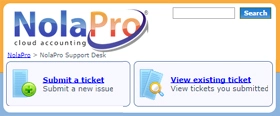
Submit a ticket at support.nolapro.com or email support@nolapro.com. Priority support is included for ERP clients or available as an upgrade.
Can NolaPro be customized for my industry?
Yes. NolaPro has been tailored to the processes of many specific industries, and adapting it to yours is easy. Email software@noguska.com to learn how it’s done.
Still need help?
Call +1 (419) 435-0404 or +1 (800) 664-8752
Email support@nolapro.com · partners@noguska.com